
Best employee app solutions for connected teams in 2026



In today’s hybrid work environment, companies need an easy and streamlined way to facilitate internal communication, employee engagement, and workflows for office and front-line workers. This is where choosing the best employee app for your workforce can make a real difference. Employee apps are digital platforms for improving employee experience in the workplace. Compared to regular employee engagement software, they are available and mainly used on mobile devices. This mobile-first approach gives office, remote and frontline workers a clearer path to updates, resources and everyday communication without relying only on email or desktop intranet access.
In this article, we’ve reviewed and defined eight of the best employee communication apps based on their features, pros and cons, third-party reviews, and value propositions. But first, what is a company app for employees?
Table of contents
- 1. Haiilo - Best Employee Experience App
- 2. 15Five - Best for Performance Management
- 3. Slack - Best for Instant Messaging
- 4. Bonusly - Best for Employee Recognition
- 5. Monday.com - Best for Project Management
- 6. BambooHR - Best for Hiring and Onboarding
- 7. TalentLMS - Best for Learning and Development
- 8. Apploye - Best for Time Tracking and Productivity
What is an employee app?
An employee app is a company app for employees that allows you to quickly and easily provide your workforce with company-relevant information and to communicate across office locations and departments, often as a mobile extension of the intranet. It is an employee engagement software in the form of a mobile app with one or more functions.
Unlike traditional intranets that are desktop-bound and often underused, modern apps for company employees are designed mobile-first. This makes them especially valuable for frontline, remote and deskless workers who rarely sit at a computer but still need real-time updates, documents and direct access to leadership communication.
Company apps can have different functions. For example, Slack is predominantly for instant messaging, whereas the Haiilo employee experience app empowers companies to drive employee engagement, while Flock combines internal messaging with calendar scheduling. Employee apps can be dedicated to different parts of employee journeys, including:
- Internal communications;
- Employee engagement;
- Performance management;
- Instant messaging;
- Recognition;
- Project management;
- HR & onboarding;
- Learning and development.
In many cases, organisations choose integrated apps for company employees that combine several of these capabilities in one secure, branded platform — reducing tool overload and improving adoption.
Different types of employee apps
Employee apps can facilitate essential company functions like internal communications, HR, time tracking, and engagement. A company mobile app can either have multiple functions or be solely focused on one task. For example, MS Teams is predominantly an employee communication app, whereas the Haiilo app empowers companies to drive employee experience, engagement and performance.
Apps for company employees often evolve as organisations grow. What starts as a simple messaging tool can quickly become a broader platform for sharing updates, collecting feedback, recognising achievements and supporting day-to-day operations — especially in distributed or deskless environments.
Here are some different types of employee apps, depending on their function:
- Employee communication apps (for example, Slack or MS Teams);
- Employee engagement apps (for example, Haiilo or 15Five);
- Employee tracking apps (for example, Connecteam or Clockify);
- Employee recognition apps (for example, Bonusly).
Other types of employee management software include employee information apps, employee recognition apps, and employee scheduling apps. In this guide, we’ve chosen eight of the best company apps for employees for different functions and employee journeys — helping you identify which solution fits your workforce structure, business goals and internal processes.
Connect with office, remote, and frontline employees in one place with your own branded mobile app.
8 Best employee apps for your company
A well-chosen employee app can help streamline processes, boost employee productivity and foster stronger connections between teams everywhere. Below, we’ve reviewed and chosen eight of the best employee apps by function, including employee experience and engagement, instant messaging, performance management, employee recognition, HR and onboarding, learning and development, and time tracking apps. When comparing options, look beyond the feature list. The best employee app for your organisation should be easy for employees to adopt, simple for admins to manage and flexible enough to support different teams, locations and communication habits. Consider mobile access, integrations, permissions, analytics, branding and whether the platform can grow with your internal communications and employee experience strategy.
1. Haiilo – Best employee experience app
Reviews: 4.6 / 5 (out of 291 reviews on G2)
Best for: employee experience, employee engagement, internal communications, advocacy, knowledge sharing
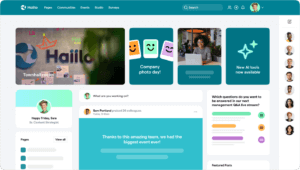
Overview: Haiilo is one of the best employee apps for improving employee engagement and experience. This employee engagement software is designed to streamline internal communications in organisations and keep the workplace informed, engaged, and aligned with the business goals and core company values.
Unlike standalone tools that only cover messaging or surveys, Haiilo brings multiple engagement drivers into one centralised platform. As one of the most comprehensive apps for company employees, it connects leadership communication, peer recognition, feedback loops and advocacy in a single digital workplace experience.
With the emergence of remote and hybrid work, Haiilo has become a must-have employee experience platform for many companies aiming to improve team communication. It allows a 360° overview of internal comms (top-down, bottom-up and non-vertical). It is particularly valuable for industries that mainly deal with frontline workers, where reaching every employee quickly and consistently is critical. Haiilo is the only employee experience app on the market with which you can seamlessly combine multichannel internal communications with best-in-class intranet and employee advocacy functionalities.
Key features and functionalities:
- Personalised newsfeed with important company information and updates;
- Filtering and segmentation to distribute content relevant to employees’ interests, job functions, departments, and locations;
- Intuitive content builder;
- Powerful analytics, insights, and actionable recommendations for improving company’s internal communication efforts and campaigns that align with the ultimate business goals;
- Engaging employee newsletters;
- Content collaboration functionalities and approval flows appropriate for complex organisational structures;
- White labelling and branded mobile app;
- Employee engagement surveys with valuable insights and recommendations for improvement;
- Employee advocacy features that make employees the best brand ambassadors;
- Powerful integration capabilities with workplace tech stack and APIs for custom integrations (integrates with Google Workspace and Microsoft 365).
Haiilo has been named a leader in the employee communications category due to its top-notch features and excellent customer service.
Disadvantages, according to users:
- Limited customization;
- Excel exports can be improved;
- The mobile version can be improved.
Pricing: Haiilo offers flexible pricing packages tailored to company size, feature requirements and rollout complexity — making it suitable for both mid-sized organisations and global enterprises. Request a demo to find out more.
Download Haiilo employee experience app:
Download the Haiilo Android app
💡 Also, learn about the top 5 internal communication apps out there!
2. 15Five – Best for performance management
Reviews: 4.6 / 5 (out of 1,928 reviews on G2)
Best for: performance management, feedback, employee recognition
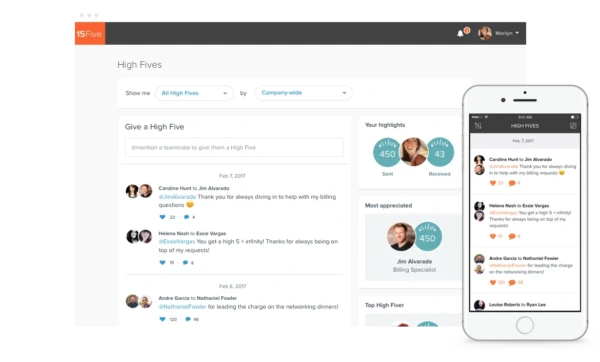
Overview: 15Five is a continuous performance management solution that helps employees and managers align with their company’s objectives and key results. Weekly check-ins empower managers to proactively remove blockers, recognize wins and course-correct before small issues escalate. It also includes features such as continuous feedback, objectives (OKR) tracking, recognition, 1-on-1s, and reviews. Its powerful analytics and qualitative responses are the basis for managers to learn how much support and guidance to provide to their teams.
Among apps for company employees, 15Five focuses specifically on performance and growth rather than broad internal communications. This makes it particularly suitable for organisations looking to build a strong feedback culture, increase accountability and create clearer visibility into individual and team progress.
Key features and functionalities:
- Weekly check-ins;
- Performance reviews and management;
- OKRs and goals management tracking;
- Continuous feedback loops;
- 1-on-1s;
- Peer-to-peer recognition;
- Learning solutions for manager upskilling.
Disadvantages, according to users:
- Lack of enhanced reporting features and the status of the organisational goals;
- Limited integrations;
- Interface is difficult to navigate.
Pricing: 15Five has flexible modular pricing. Its Engage plan starts at $4 per employee per month, while the Perform plan starts at $11 per employee per month. This tiered approach allows companies to scale features as their performance management maturity grows.
Download 15Five employee app:
Download the 15Five Android app
3. Slack – Best for instant messaging
Reviews: 4.5 / 5 (out of 39,231 reviews on G2)
Best for: instant messaging, employee communications
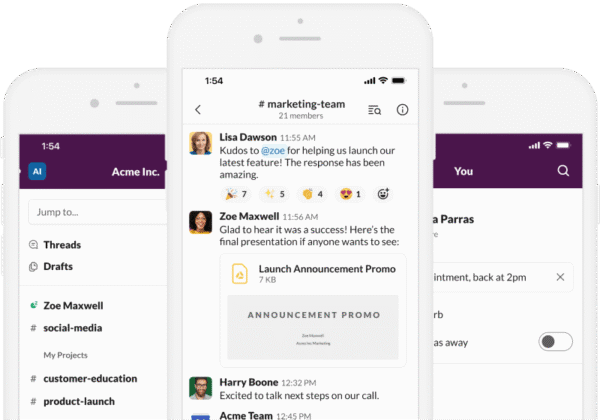
Overview: Slack is a cloud-based digital workspace and information management system used to manage productivity and improve team efficiency. It is mainly used for instant messaging and synchronous virtual communication in the workplace. By creating designated groups and channels, Slack is really one of the best employee apps that makes communication more organized. Its numerous integrations with bots and other apps help employers build smart workflows to improve their employees’ productivity at work. Used by many organisations across the globe (soon to surpass 50 million users), Slack is now considered one of the leading employee apps available on the market.
Among apps for company employees, Slack stands out for its simplicity and speed. Teams can quickly spin up channels for projects, departments or announcements, reducing email overload and improving transparency. However, because it focuses primarily on messaging, many organisations pair Slack with other tools to cover engagement, intranet or performance management needs.
Key features and functionalities:
- Channels to make communications more organized;
- Slack Connect enables collaboration with teams in other companies;
- Powerful workflow builder to automate repetitive tasks;
- Integrations with over 2200 other services;
- Enterprise Key Management for user control and role-based permissions;
- ISO certifications, data protection, and information governance;
- Search and file sharing;
- Video and audio conferencing.
Disadvantages, according to users:
- Limited features
- Inadequate search functionality
- Paid versions are on a pricey side
Pricing: Slack has a free version with limited features and functionalities. The Pro plan is listed at $8.75 per user per month when paid monthly, while Business+ is listed at $18 per user per month when paid monthly. Annual billing discounts are available.
Download Slack employee app:
Download the Slack Android app
4. Bonusly – Best for employee recognition
Reviews: 4.7 / 5 (out of 7,360 reviews on G2)
Best for: employee recognition, employee motivation, engagement
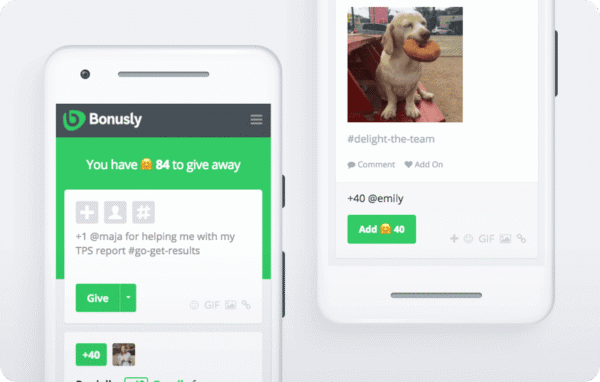
Overview: Bonusly is one of the best employee apps for employee recognition and rewards. If your goal is to improve your employee motivation, engagement, and morale, this app can certainly help. It makes peer-to-peer recognition easy, fun, and rewarding. Companies can set up formal employee recognition programmes and align them with their company’s goals and core values. By making recognition social and interactive, it can also be a powerful tool in building a positive workplace culture.
Among apps for company employees, Bonusly focuses specifically on reinforcing positive behaviours through real-time visibility and rewards. Public recognition posts create transparency around achievements, while point-based systems encourage frequent appreciation rather than once-a-year awards. This continuous approach helps strengthen team morale and ensures company values are consistently reinforced in day-to-day work.
Key features and functionalities:
- Monetary and non-monetary recognition programmes;
- A rich, global catalog of attractive gifts from popular brands;
- Various redemption options;
- Integrations with Slack, Microsoft Teams, Yammer, Chatter, HRIS/HRMS, and SSO software such as Zenefits, BambooHR, Workday, ADP, Okta, OneLogin;
- Digital signage to keep recognition on top of employees’ minds;
- Powerful recognition analytics;
- Newly added feedback functionality.
Disadvantages, according to users:
- Integration with Slack could be improved;
- Gifting and redemption options are limited according to some users (more donation options or gifts such as gym memberships could be added);
- Lack of private recognition options.
Pricing:Bonusly offers a free plan for small teams, a Team plan listed at $5 per user per month when paid monthly, and custom pricing for larger organisations. Reward budgets are managed separately, giving organisations flexibility to design recognition programmes that match their culture and spend.
Download Bonusly employee app:
Download the Bonusly Android app
5. Monday.com – Best for project management
Reviews: 4.7 / 5 (out of 17,040 reviews on G2)
Best for: project management, team collaboration, employee productivity
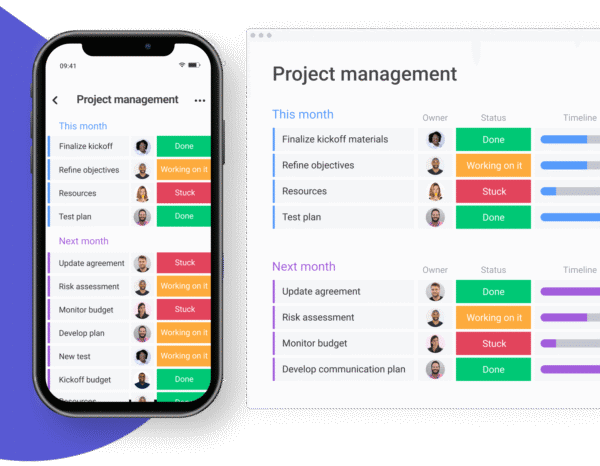
Overview: Monday.com is one of the best employee apps for team collaboration. If you are looking for a powerful team app to help your teams manage tasks and projects, Monday.com is the way to go! While it now offers a CRM as well, it was designed mainly for task, workflow, and project management. While it may seem like Monday has limitless features and functionalities, at its core, it serves the 3 main purposes: team collaboration, improved productivity with project planning functionalities, and team alignment for increased visibility and transparency.
Key features and functionalities:
- To-do lists, task management, prioritization, assignments, due dates, and dependencies;
- Billable time rate management – administrators can adjust rates based on user, role, task, project assignments;
- Gantt charts;
- Workflows for approval processes;
- Automated reminders;
- Policy compliance management;
- Role-based permissions to access based on the users, user role, groups, etc;
- Pre-built and custom reports;
- Internationalization – content available in multiple languages and currencies;
- Custom APIs and integrations with important workplace technologies.
Disadvantages, according to users:
- Steep learning curve due to many different features and functionalities;
- Pricey compared to some other tools available on the market;
- Limited customization options.
Pricing: For up to two seats, you can use monday.com for free. Paid plans start at $9 per seat per month for Basic when billed annually, with Standard at $12 and Pro at $19 per seat per month. Monthly billing is also available at higher rates.
Download Monday.com employee app:
Download the Monday.com iOS app
Download the Monday.com Android app
6. BambooHR – Best for hiring and onboarding
Reviews: 4.4 / 5 (out of 6,042 reviews on G2)
Best for: hiring, employee onboarding, HR, compensation , payroll, time tracking
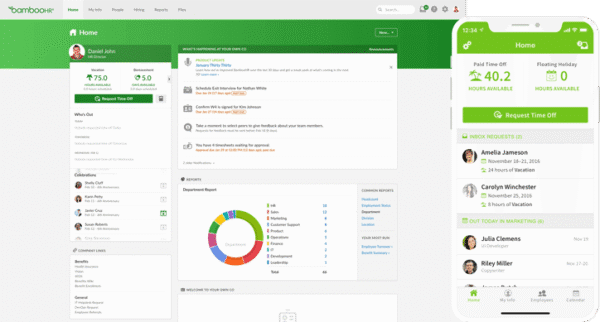
Overview: BambooHR is a multi-purpose employee app that many companies choose to improve their hiring, onboarding, and other core HR activities. It is an award-winning HR platform with a company app that enables employers to automate, centralize, and connect their people data all in one place. With BambooHR you can manage employee data and gather valuable insights, find, hire, and onboard new hires, and streamline payroll, track hours, as well as capture benefits.
Key features and functionalities:
- Secured, centralised, and organized employee data;
- Applicant tracking system for hiring;
- People analytics, data, and reporting;
- Digital new-hire onboarding, offboarding, and electronic signature;
- Time tracking, payroll, mobile-enabled vacation requests, and multiple approvals, PTO forecasting, and more;
- Performance management, pulse surveys, and eNPS;
- Marketplace and pre-built integrations to help companies keep all their employee data connected.
Disadvantages, according to users:
- Missing features
- Lack of customization
- No SFTP integration capabilities
Pricing: BambooHR lists its Core plan at $10 per employee per month, with additional plans and add-ons available depending on the features required.
Download BambooHR employee app:
Download the BambooHR Android app
7. TalentLMS – Best for learning and development
Reviews: 4.6 / 5 (out of 805 reviews on G2)
Best for: employee training, employee development, personalised training
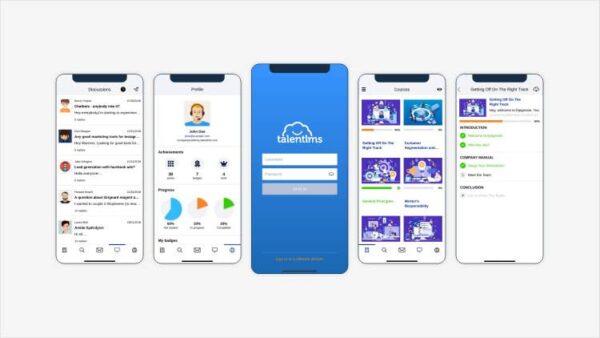
Overview: TalentLMS is the leading employee app in the Learning Management System category. It is a training platform designed to help great teams grow. With this software, employers are more equipped to close the skill gaps in their organisations by creating personalised training for every employee. It is customisable, making it a great fit for companies with different needs and challenges. Backed by Epignosis, a global leader in learning technologies, TalentLMS aims to democratize training, serving teams worldwide.
Key features and functionalities:
- Drag and drop to add all types of media to your course – like videos, presentations, and docs;
- Online or in-person training;
- Training registrations and reminders;
- Quizzes, tests, assignments, and surveys to evaluate learners and learning materials;
- Custom certifications;
- Learning paths and completion rules;
- Custom roles and permissions;
- Custom look and feel to match the company’s brand guidelines;
- Content localisation and gamification with badges, points, levels, leaderboards, and rewards.
Disadvantages, according to users:
- May need CSS or HTML skills to customize some features;
- Limited authoring tools, especially in video and animation creation;
- Not all desktop features are available in the app.
Pricing: TalentLMS offers a free plan with up to 5 users and 10 courses. Paid plans start at $119 per month for Core, with Grow and Pro plans listed at $229 and $499 per month respectively when billed annually.
Download TalentLMS employee app:
Download the TalentLMS iOS app
Download the TalentLMS Android app
8. Apploye – Best for time tracking and employee productivity
Reviews: 4.6 / 5 (out of 53 reviews on G2)
Best for: time tracking, employee monitoring, productivity tracking
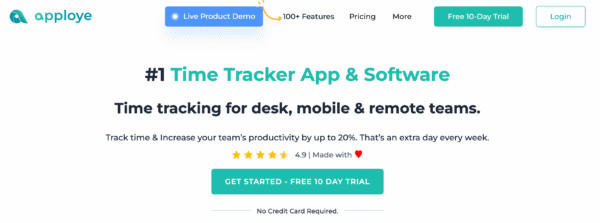
Overview: Apploye is a user-friendly time-tracking and employee-monitoring app designed to help you manage your team’s work and productivity more effectively. Whether your employees are working in the office, remotely, or on the go, Apploye gives you the tools to track their work hours, monitor progress on tasks, and see how time is being spent across different projects.
With Apploye, you can easily log employee hours, get detailed reports, and keep an eye on how productive your team is being throughout the day. It’s especially helpful for remote teams, allowing you to ensure that everyone stays on track, meets deadlines, and works efficiently. You can also assign tasks, monitor project progress, and identify areas where productivity can improve.
Key features and functionalities:
- Real-time time tracking
- Employee productivity monitoring
- Project and task management
- Detailed reports on employee activities
Best employee app FAQs
The best employee app for internal communication depends on your workforce and business goals. Organisations with frontline, remote or hybrid employees often benefit from a platform that combines company news, messaging, feedback, mobile access and employee engagement features in one place.
Companies use employee apps to improve communication, increase engagement, simplify access to information and reduce reliance on email. Employee apps can also support onboarding, recognition, training and everyday workplace collaboration.
Look for mobile accessibility, content targeting, employee feedback tools, analytics, integrations, secure access controls and easy content management. The best employee app should also be simple for employees to use and easy for administrators to maintain.
Yes. Employee apps are particularly valuable for frontline and deskless workers because they provide instant access to company updates, documents, schedules and communication tools without requiring access to a desktop computer.
Start by identifying your biggest challenges, such as communication gaps, low engagement or inefficient processes. Then compare solutions based on usability, mobile experience, scalability, integrations and how well they support your workforce's needs.
Find
your
flow
Bring communication, knowledge, and tools into one calm place — and help your people find their flow.